Most companies didn’t plan to end up running half their systems on-prem and half in the cloud. It just happened, an app got migrated here, a legacy database stayed put there, a new team spun up workloads on AWS because it was faster than waiting for a data center ticket. A few years later, that patchwork is the infrastructure. And securing a patchwork is a very different job than securing one clean environment. This is exactly where hybrid cloud security solutions earn their place — not as a buzzword, but as the answer to a problem most IT teams inherited rather than chose.
So What Is Hybrid Cloud Security, Really?
Strip away the marketing language and hybrid cloud security is just this: protecting data and applications that live in more than one place at once — private infrastructure, public cloud, sometimes a colocated data center too, using a consistent set of rules instead of three separate ones.
The reason this is harder than it sounds comes down to four things every serious hybrid setup has to get right:
- Data has to stay protected whether it’s sitting still or moving between environments
- Access needs to be tightly controlled, even though “the network” no longer means one network
- Compliance — GDPR, HIPAA, PCI-DSS, take your pick — has to hold up across every environment, not just the one auditors usually look at first
- Threats need to get caught fast, because a gap between two environments is exactly where attackers look first
Why This Keeps Coming Up as a Problem
Ask any security team running a hybrid setup what keeps them up at night, and you’ll hear a fairly consistent list.
The attack surface just got bigger
. Every additional environment is another set of entry points. It’s not that public cloud is inherently less secure — it’s that stitching two or three environments together multiplies the number of places something can go wrong.
Nobody has one dashboard.
This is the one that surprises people. A team might have excellent visibility into their AWS environment and almost none into what’s happening on their own data center floor, or vice versa. Attackers don’t care which side of that gap they’re on.
Access control turns into a puzzle.
On-prem systems often use one permission model, cloud platforms use another, and SaaS tools bring a third. Reconciling all of it without leaving a door open takes real, ongoing work — it’s not a one-time setup task.
Incident response slows down.
When something goes wrong in a single environment, tracing it is straightforward. When it spans systems, you’re pulling logs from different places, in different formats, sometimes from different vendors’ support teams. That delay is expensive — the longer an attacker sits undetected, the more it costs to clean up afterward.
Shared responsibility gets misunderstood.
Cloud providers secure the infrastructure. You secure what you put on it. That line is clear in theory and gets blurry in practice — especially when teams assume the provider is covering something it isn’t, and find out only after an incident.
Compliance overhead multiplies.
Regulated industries — finance, healthcare, government — don’t get to relax a standard just because their infrastructure got more complicated. HIPAA, GDPR, and PCI-DSS still apply in full, across every environment the data touches, which means proving compliance takes more work in a hybrid setup than it would in a single, contained one.
The Real Benefits of a Secure Hybrid Cloud Solution
Here’s where most articles on this topic just repeat “better security, better compliance” and move on. Worth being more specific than that.
You stop finding out about problems after the fact. With unified monitoring across environments, misconfigurations and unusual access patterns get flagged while they’re still small issues — not after they’ve become the subject of an incident report.
Response time actually changes. Automated detection paired with a coordinated response plan cuts the window between “something’s wrong” and “it’s handled” from hours to minutes, in a lot of cases. That gap is where damage happens.
Compliance stops being a quarterly scramble. Instead of manually proving controls exist in each environment separately, a properly secured hybrid setup gives you one source of truth auditors can check against.
You get to stop overpaying for overlap. Most companies running unsecured or loosely-secured hybrid environments are also running five or six point tools that don’t talk to each other. Consolidating that into a coherent security layer usually reduces cost, not just risk.
Growth doesn’t mean re-doing your security architecture. Expanding into a new region, adding a new cloud provider, onboarding a wave of remote employees — none of that should require rebuilding your security model from scratch. A properly designed setup absorbs that growth instead of resisting it.
Teams stop working against each other. When on-prem, cloud, and security teams operate on different tools and different assumptions, priorities clash by default. A shared security layer forces a shared source of truth, which quietly fixes a lot of internal friction that never gets written down as a “security benefit” but absolutely is one.
What a Hybrid Cloud Security Solution Is Actually Made Of
If you’re evaluating options, these are the pieces that typically show up, in some combination — and understanding what each one does matters more than memorizing the acronyms.
CSPM (Cloud Security Posture Management). Continuously scans cloud environments for misconfigurations — an exposed storage bucket, an overly permissive IAM role — before an attacker finds them first. This is the single most common cause of cloud breaches, so it’s usually the first layer worth getting right.
CWPP (Cloud Workload Protection). Covers the actual workloads: virtual machines, containers, Kubernetes clusters, serverless functions. Since a modern hybrid environment runs a mix of all four, workload protection needs to follow the workload wherever it’s deployed, not just watch one layer.
ZTNA (Zero Trust Network Access). Replaces “anyone on the VPN can reach anything” with per-application, contextual access based on identity, device posture, and behavior. This matters more in hybrid setups than anywhere else, because there’s no single network perimeter left to defend.
SASE (Secure Access Service Edge). Bundles ZTNA, secure web gateway, firewall-as-a-service, and data loss prevention into one cloud-delivered layer. For organizations with a distributed or remote workforce, this is usually where the biggest operational simplification happens — one policy engine instead of five disconnected appliances.
IAM (Identity and Access Management). The backbone of least-privilege access across every environment involved. Weak IAM is behind a disproportionate share of hybrid cloud incidents, usually because permissions granted for a one-off task never got revoked.
DLP and DDR (Data Loss Prevention & Data Detection and Response). Watches for sensitive data leaking out through SaaS apps, email, endpoints, or increasingly, through AI tools employees weren’t authorized to use with company data.
No single vendor does all of this equally well. Some are strong on workload protection and weak on network access; others are the reverse. That’s worth checking directly against your own environment before signing anything — a demo built around someone else’s use case won’t tell you much.
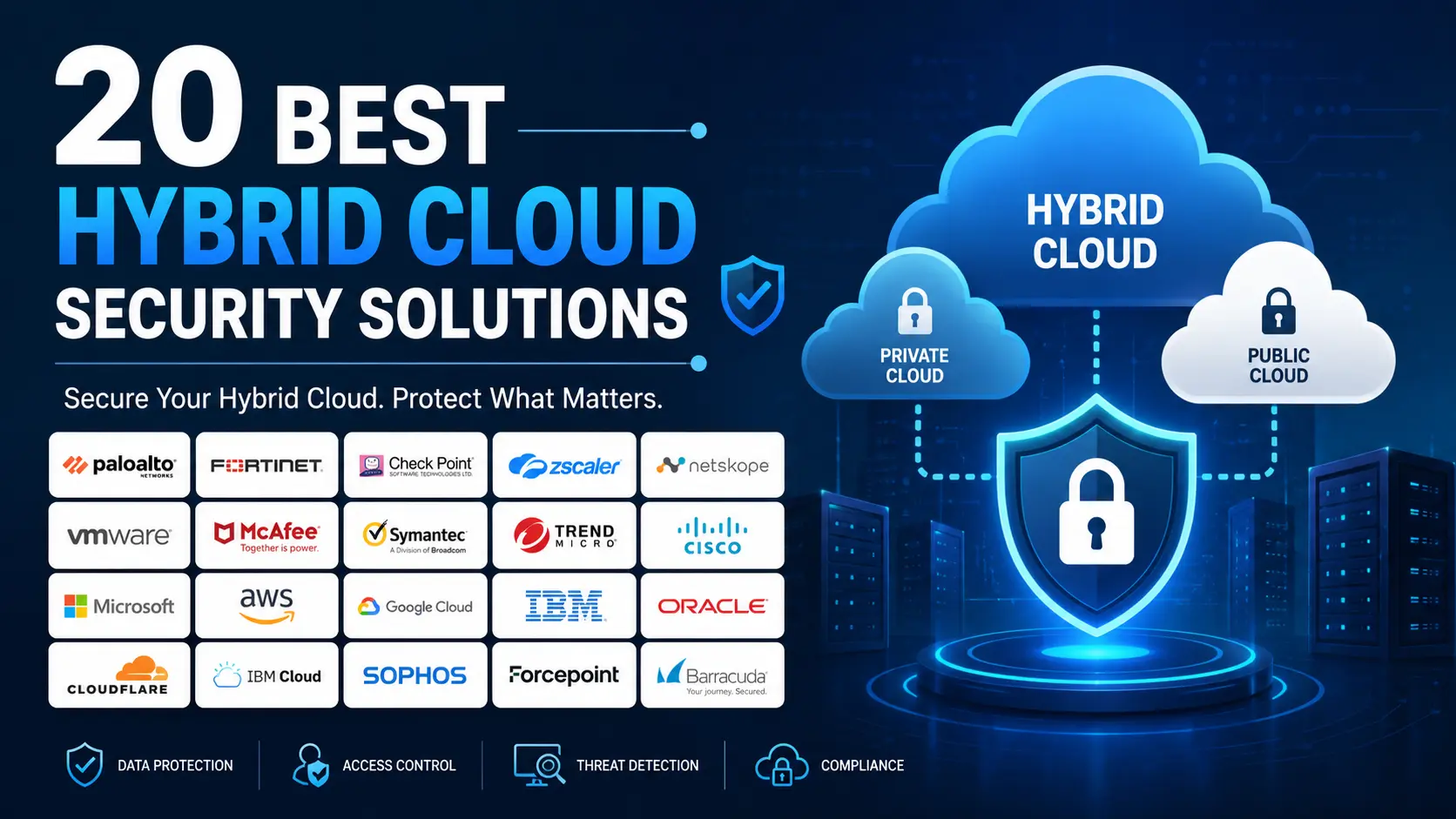
20 Hybrid Cloud Security Solutions
- Wiz — agentless scanning that gets you full visibility within hours, not weeks
- SentinelOne Singularity Cloud Security — AI handles detection and response on its own, with minimal human intervention
- Orca Security — sees every workload without ever touching or installing on them
- Palo Alto Networks Prisma Cloud — the closest thing to an all-in-one console for posture, workload, and network together
- Microsoft Defender for Cloud — plugs straight into Azure with almost no extra configuration
- Google Security Command Center — built natively for teams running most of their workloads on GCP
- CrowdStrike Falcon Cloud Security — pairs cloud protection with the same engine powering their endpoint agent
- Check Point CloudGuard — merges firewall enforcement and posture checks under one policy set
- Trend Micro (Trend Vision One) — leans hardest into container and runtime-level protection
- Zscaler Zero Trust Exchange — the go-to pick for enterprises finally retiring their legacy VPN
- Sangfor Athena SASE — one lightweight agent covering ZTNA, secure web gateway, and DLP together
- Netskope — built around understanding exactly how data moves through SaaS apps
- Fortinet (FortiCNAPP / Lacework) — behavioral, machine-learning-driven anomaly detection at scale
- VMware NSX — micro-segmentation that lives right inside your virtualized data center
- Cisco Secure Workload — maps workload-to-workload traffic across sprawling hybrid data centers
- Aqua Security — purpose-built from the ground up for containers and Kubernetes
- Tenable Cloud Security — ties cloud exposure directly back to vulnerability data you already track
- Qualys TotalCloud — extends the VM-scanning workflow teams already know into the cloud
- Rapid7 InsightCloudSec — a simpler, faster-to-onboard option built for leaner security teams
- IBM Cloud Pak for Security — strongest fit where compliance and legacy IBM infrastructure intersect
How to Actually Implement This (Not Just Buy It)
Most guides stop at “here’s what to look for in a vendor.” Buying the tool is the easy part. Getting it to actually work takes a sequence:
- Map what you have first. Before evaluating any hybrid cloud security solutions, get an honest inventory of every environment, workload, and data store in play. You can’t secure what you haven’t listed.
- Fix the shared responsibility confusion in writing. Document, environment by environment, exactly what the provider secures and what your team secures. Ambiguity here is where most gaps hide.
- Start with visibility before automation. Turn on monitoring and posture management across everything first. Resist the urge to jump straight to automated response — you need a baseline of what “normal” looks like before you can safely automate reactions to “abnormal.”
- Standardize access policy before rolling out ZTNA broadly. Migrating from VPN to zero trust access works best when the underlying access rules are already sane. Moving a messy permission model onto a new architecture just moves the mess.
- Pilot on one environment, then expand. Run the full stack — posture management, workload protection, access control — on your highest-risk environment first. Fix what breaks there before rolling it out everywhere.
- Review quarterly, not annually. Hybrid infrastructure changes faster than most audit cycles. A security posture that was accurate six months ago may already have drift you haven’t caught.
Comparing Approaches: Categories, Not Just Vendor Names
Rather than ranking specific products — which turns stale the moment a vendor ships a new feature — it’s more useful to understand the categories of hybrid cloud security solutions and what each is actually optimized for.
| Category | Best suited for | Typical trade-off |
| CNAPP-first platforms (bundled CSPM + CWPP + vulnerability management) | Teams that want one console covering posture and workload risk together | Can be less specialized in network access control |
| Network-and-access-first platforms (SASE/ZTNA-centric) | Distributed workforces, heavy remote access, branch offices | May need a separate tool for deep workload scanning |
| Cloud-provider-native tools (e.g., built into Azure, AWS, GCP) | Organizations mostly on one primary cloud provider, with light hybrid exposure | Weaker cross-cloud and on-prem visibility |
| Data-protection-first platforms (DLP/DDR-centric) | Regulated industries where data leakage is the top concern | Less focus on infrastructure-level misconfigurations |
Most mature organizations end up combining two categories rather than expecting one platform to do everything perfectly — which is a more honest starting point than any single “best tool” recommendation.
What It Actually Costs
Budget conversations around this space tend to get vague fast, so here’s a more grounded breakdown:
- Entry-level tools covering basic posture management alone can run a few thousand dollars a year for smaller environments.
- Mid-range platforms adding workload protection, automated compliance reporting, and threat detection sit meaningfully higher, usually priced per workload or per user.
- Enterprise-grade, consolidated platforms covering the full stack — CSPM, CWPP, ZTNA, DLP — often run into the tens of thousands annually, scaling with the number of environments and users covered.
- Hidden costs show up in integration time, staff training, and the operational cost of running two systems in parallel during migration. These rarely appear in a vendor’s pricing page but consistently show up in the actual budget.
The honest framing: the sticker price is rarely the full cost, and the tools that look cheapest on paper often cost more once integration and staffing time are factored in.
Mistakes That Undermine Even Good Tools
A strong platform doesn’t fix a weak process. The most common ways organizations sabotage their own hybrid cloud security solutions after buying good ones:
- Treating the rollout as a one-time project instead of an ongoing operational function with an owner
- Turning on every alert without tuning thresholds, which trains teams to ignore notifications altogether
- Skipping the shared responsibility documentation step, so nobody notices a gap until an incident forces the question
- Buying for the compliance audit, not the actual risk profile, which produces a checkbox-passing setup that doesn’t hold up against a real attacker
- Never revisiting access permissions granted for short-term projects, which quietly accumulate into a much larger attack surface over time
Choosing a Solution
- What’s your actual risk, not the generic one? A healthcare company’s priority list looks different from a fintech’s. Start there, not with a feature checklist.
- Does it work with what you already have, or fight it? Rip-and-replace sounds clean in a sales pitch and rarely goes that smoothly in practice.
- Will it still fit in two years? Hybrid infrastructure tends to grow in directions you didn’t plan for. Ask vendors directly how they handle scale, not just how they describe it.
- What does it cost once you add everything up? Licensing is the visible number. Integration time, training, and support contracts are the ones that show up later.
- Who actually owns this after purchase? A tool without a clear internal owner tends to drift into “set and forget” — which defeats the point.
The Bottom Line
Hybrid isn’t a transition phase most companies are passing through — for most, it’s just how infrastructure works now, permanently. Treating security as four disconnected problems (visibility, access, compliance, detection) is how gaps form. The organizations that get real value out of hybrid cloud security solutions are the ones that treat implementation as an ongoing operational discipline, not a one-time purchase — backed by a setup that fits the infrastructure they actually have, rather than the one a vendor wishes they had.
FAQs
Is hybrid cloud security different from multi-cloud security?
Yes. Hybrid cloud security covers environments that combine on-premises infrastructure with cloud services. Multi-cloud security covers running across several cloud providers, without necessarily involving on-prem systems at all. The two overlap but aren’t the same problem, and some tools are built for one and not the other.
Do small businesses actually need this, or is it an enterprise thing?
Smaller teams running even one on-prem system alongside cloud services already qualify as hybrid. The scale of the tooling should match the size of the business — a startup doesn’t need an enterprise-grade CNAPP — but the underlying principles (visibility, access control, compliance) apply regardless of company size.
Can one platform really cover everything, or is that marketing?
A handful of platforms genuinely cover most of the stack well. But “covers everything” and “covers everything equally well” are different claims — most organizations still end up layering a second, more specialized tool on top of a broad platform for at least one function.
How long does implementation actually take?
For a mid-sized hybrid environment, expect weeks for initial visibility and posture management to go live, and months for a full rollout including access control migration and process changes. Vendors quoting “same-day deployment” are usually referring to the software install, not the organizational work around it.