
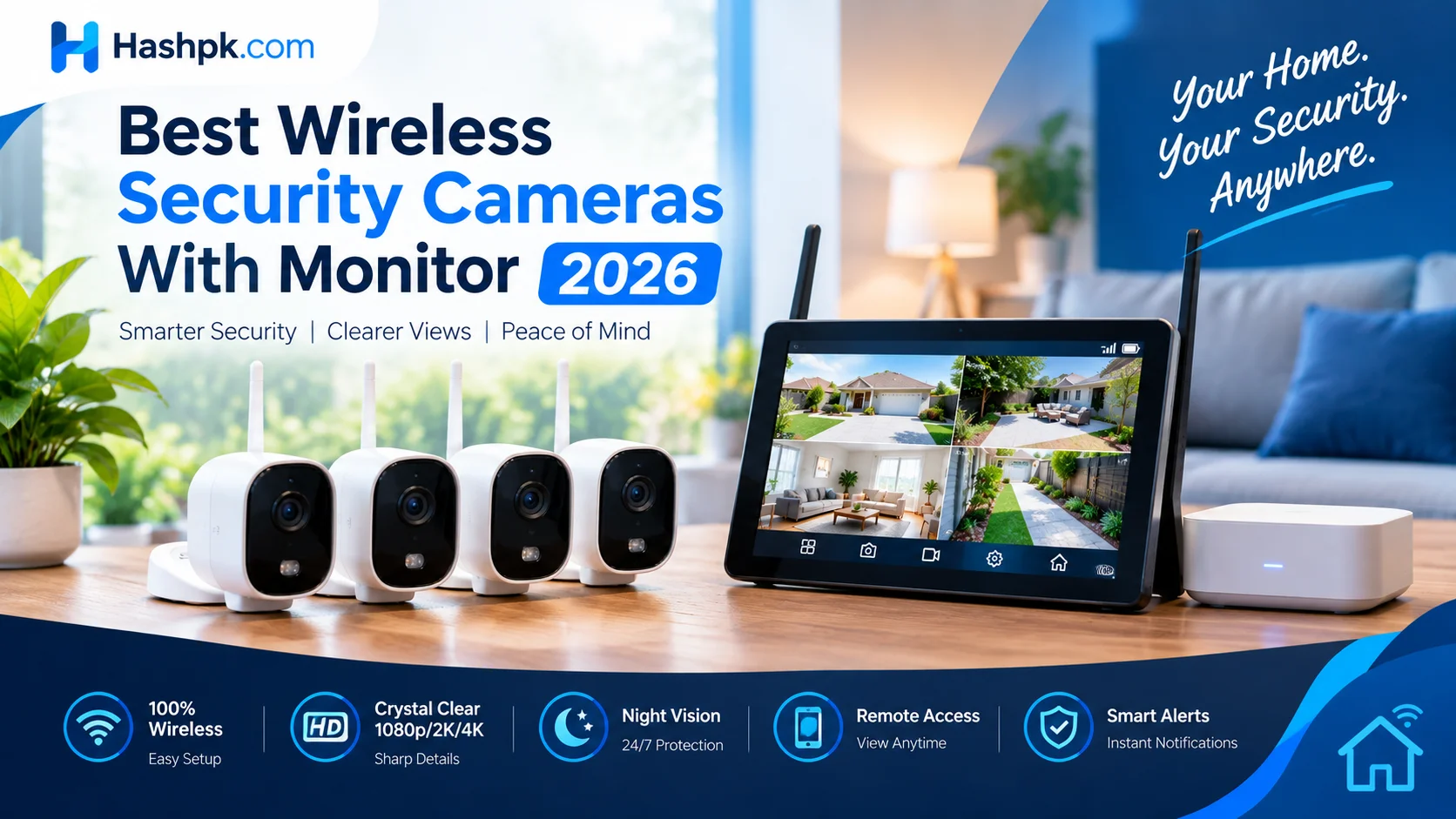
Wireless security cameras with monitor systems are changing the way people catch trouble before it becomes a real problem. Picture this: someone lingers near your front door at 2 a.m., and instead of scrambling for your phone, unlocking it, and opening an app, you just glance at a screen already sitting on your kitchen counter — live, no delay, no login. That instant, no-fuss visibility is exactly why more homeowners and small business owners are ditching phone-only setups for a system with a built-in display
Why a Built-In Screen Changes How You Watch Your Property
A phone app is convenient, but it’s not always open, and notifications get missed in a busy day. A dedicated security camera screen solves that problem by staying on, or waking up the moment motion is detected.
Many buyers now treat the security display as the centerpiece of their setup rather than an afterthought, placing it in a kitchen or entryway so anyone in the house can check who’s at the door without touching a phone.
A simple cctv screen mounted near the front hallway has become almost as common as a doorbell in some neighborhoods, because it turns passive recording into active awareness.
Wired vs Wireless: What “With Monitor” Really Means
There’s some confusion about what “wireless” actually covers. A wired security camera system with monitor still uses cables for power and data, while the cameras themselves may or may not connect to your router.
People often ask, do all cameras need wifi, and the honest answer is no — plenty of units record locally to an SD card or a wired recorder and never touch your internet connection at all.
On the other hand, if you’re specifically asking do wireless security cameras need wifi, most of them do, since that’s how footage reaches your phone and your monitor at the same time. A wireless security camera system with monitor gives you the best of both worlds: no drilling holes for camera cables, but a physical screen at home for instant viewing.
| Setup Type | Needs WiFi? | Best For |
| Wired system, screen attached | Not necessarily | Permanent installs, no signal issues |
| Wireless cameras, screen included | Usually yes | Renters, flexible placement |
| Local-recording wireless kit | No | Privacy-focused buyers, no subscription |
Video Surveillance Monitors and Display Quality
Not every screen is created equal. A budget video surveillance monitor might just show grainy footage in a small window, while a proper video surveillance monitors setup splits the screen into four, six, or even sixteen feeds at once.
If you already own recording hardware, you can usually pair it with almost any cctv display, though matching resolution matters — pushing a 4K wireless security camera outdoor feed onto a cheap panel will make it look worse than it should.
Look for a cctv display screen rated for at least 1080p, and if your budget allows, a 4K monitor for security cameras will make license plates and faces far easier to identify later.
Some buyers prefer a compact cctv monitor screen that sits beside a router, while others want a larger cctv camera screen mounted like a television. Either way, don’t skimp here — a weak surveillance monitor undermines even the best camera hardware.
A proper surveillance monitors bank is what separates a hobbyist setup from something closer to professional monitoring. For anyone still comparing screens, a basic cctv mon with HDMI input covers most residential needs without extra cost.
Choosing Cameras for Outdoor and Remote Locations
Weatherproofing and range matter just as much as picture quality once cameras move outside. A 4K wireless security camera outdoor unit needs a strong housing, decent low-light performance, and a signal that reaches your router or base station without dropping.
If your property includes a barn, driveway gate, or detached garage, you’re really shopping for a remote location security camera, something built to run on battery or solar power and still transmit reliably across distance.
Products like the Lorex 4K spotlight indoor outdoor camera are popular precisely because they combine a bright spotlight, sharp resolution, and flexible mounting in one unit, useful whether it’s covering a porch or a side yard.
A wireless dome camera works well for covered areas like porches or carports, and if you’re in a spot with weak signal strength, look for a camera with antenna designed to boost reception rather than relying on a stock internal aerial.
Popular Brands and Alternatives Worth Knowing
The market is crowded, and not every shopper wants the same big name everyone else has. If you’re tired of subscription fees, searching for an Arlo alternative is one of the most common paths people take, since several brands now offer local storage instead of forcing a monthly plan.
Amcrest camera Lorex comparisons come up constantly in forums, since both brands sit in a similar price range but differ in app design and storage options.
Lesser-known names are gaining traction too. A Camius security camera setup appeals to buyers who want NVR-based local recording, a Curisee camera suits smaller budgets, and Camcamp security cameras show up often in outdoor bundle kits sold through online marketplaces.
| Brand / Option | Known For | Good Fit If You Want… |
| Arlo alternative brands | No forced subscription | Lower long-term cost |
| Amcrest / Lorex | Wide product range | Balance of price and features |
| Camius | NVR local storage | Full control over footage |
| Curisee, Camcamp | Budget bundle kits | Basic coverage, low upfront cost |
| Hisense | Crossover electronics brand | Simple, affordable entry point |
Even electronics companies outside the traditional security space have entered the market, with Hisense security cameras appearing as an affordable crossover option.
Shoppers researching a Vision WiFi camera or a general WF camera listing should double check return policies, since quality varies widely between sellers. If you specifically want a discreet unit, a black home camera blends into door frames and trim better than the standard white housing most brands default to.
Where American-Made and Trusted Sourcing Matters
Sourcing has become a real factor in these purchases, not just a preference. Buyers increasingly search for security cameras not made in China, largely over data privacy concerns tied to where footage might be processed or stored.
If that matters to you, look specifically for american made wireless security cameras, though be aware the label sometimes only covers final assembly rather than every internal component. Ask the manufacturer directly if full transparency is a priority for your household.
Smart Features: Alarms, Automation, and Phone Access
Modern systems do more than just record. Pairing security cameras with alarm functionality means a triggered zone can sound a siren before you even open the app.
A security camera with live monitoring service goes further, routing an actual alert to a monitoring center rather than leaving you to react alone. Even a basic security camera with screen setup benefits from smart triggers, since you can glance at the display the instant it lights up.
For households that want everything centralized, security cameras that link to phone are now standard, syncing footage the moment it’s captured. People building smart homes often look for automation cameras that trigger lights or locks based on motion.
This kind of security camera integration is exactly what ties a scattered set of gadgets into one coherent system. Behind the scenes, most of this relies on an nvr wifi camera system, or for larger installs, a full nvr kit wifi setup that records everything centrally instead of scattering clips across separate apps.
Setting Up a Full Security System With Monitor
Once you’ve picked cameras, the last piece is tying it all together into an actual security system with monitor rather than a loose collection of gadgets.
For most families, home security cameras with monitor kits are sold as bundles — a handful of cameras, a base station, and a screen, ready to set up in an afternoon.
If your main concern is the entrance, a front door security camera with monitor combo is often enough on its own, giving you a live view the moment someone steps onto the porch.
Larger households typically want full security cameras with monitor coverage across multiple entry points, while a surveillance camera system with monitor style setup suits anyone who already has several cameras and just needs a central screen to tie them together.
A surveillance camera and monitor pairing purchased as a set tends to be more reliable than mixing brands, since compatibility issues are the number one complaint in online reviews.
Businesses often go a step further, choosing wireless surveillance cameras with monitor arrays that cover parking lots and loading docks simultaneously. Compact households sometimes prefer security cameras with monitor wireless kits specifically because there’s nothing to wire through walls, and a portable remote camera monitor can be moved between rooms as needs change.
Specialized Uses: Farms, Commercial Properties, and Energy Monitoring

Not every buyer is protecting a suburban home. Rural property owners frequently search for wireless farm security cameras that can watch equipment sheds, livestock pens, or long driveways without needing buried cable runs.
Business owners have similar needs on a larger scale, and wireless commercial security cameras are usually chosen for their ability to scale up across dozens of units without overwhelming a single network.
There’s also a niche but growing interest in energy live video surveillance, where property managers pair camera feeds with power usage data to catch equipment running when it shouldn’t be.
| Property Type | Priority Feature | Suggested Setup |
| Apartment / small home | Easy install, phone access | Front door camera + small screen |
| Large house | Multi-entry coverage | Full monitor-based system |
| Farm / rural land | Long range, solar/battery | Farm-focused wireless cameras |
| Business / commercial | Scalability, multiple feeds | Commercial-grade wireless array |
And for anyone who wants one camera that does it all, wireless security cameras with audio and night vision remain the most requested feature combination, since sound pickup often catches trouble before it’s even visible on screen.
Final Thoughts
Choosing the right setup really comes down to matching the hardware to how you actually live or work on the property. A simple front door camera and a small screen is plenty for an apartment, while a farm or commercial site needs a broader system built around range, weatherproofing, and centralized recording.
Wireless security cameras with monitor systems have earned their popularity because they close the gap between recording something and actually knowing about it in the moment. Spend a little extra time comparing screen quality, storage options, and sourcing before you buy, and the system you end up with will feel less like another gadget and more like a genuine layer of peace of mind around your home or business.
FAQs
Which CCTV is better, wireless or wired?
Wireless vs wired CCTV: Wired is more reliable and never drops due to weak signal, making it better for permanent home or business setups. Wireless is easier to install and move, ideal for renters or flexible placement, but depends on a strong Wi-Fi connection.
What is the maximum range of a wireless security camera?
Wireless camera range: Most home wireless cameras work reliably within 100-150 feet of the router with a clear line of sight, dropping to 30-50 feet through walls. Cameras using cellular/LTE or a dedicated antenna can reach several hundred feet or more, better suited for farms or large properties.


