
What Practices Are Beneficial for Training AI Models with Prompts?Most people still call this “prompt engineering,” but honestly, that term’s already starting to feel outdated. The skill hasn’t disappeared — it’s just quietly become something everyone who touches AI is expected to do well, not a standalone job title anymore.
So what practices are beneficial for training AI models with prompts in 2026? Short version: clear instructions, real examples, defined output formats, permission to say “I don’t know,” and testing prompts the same way you’d test code. Long version is below, and it’s worth reading if you’re building anything that runs at scale.
I’ve spent a good chunk of this year building prompt-driven workflows that get called thousands of times a day, not just typing one-off questions into a chat window. What follows is what actually holds up under that kind of use.
The Core Practices
If you only skim one section, skim this one.
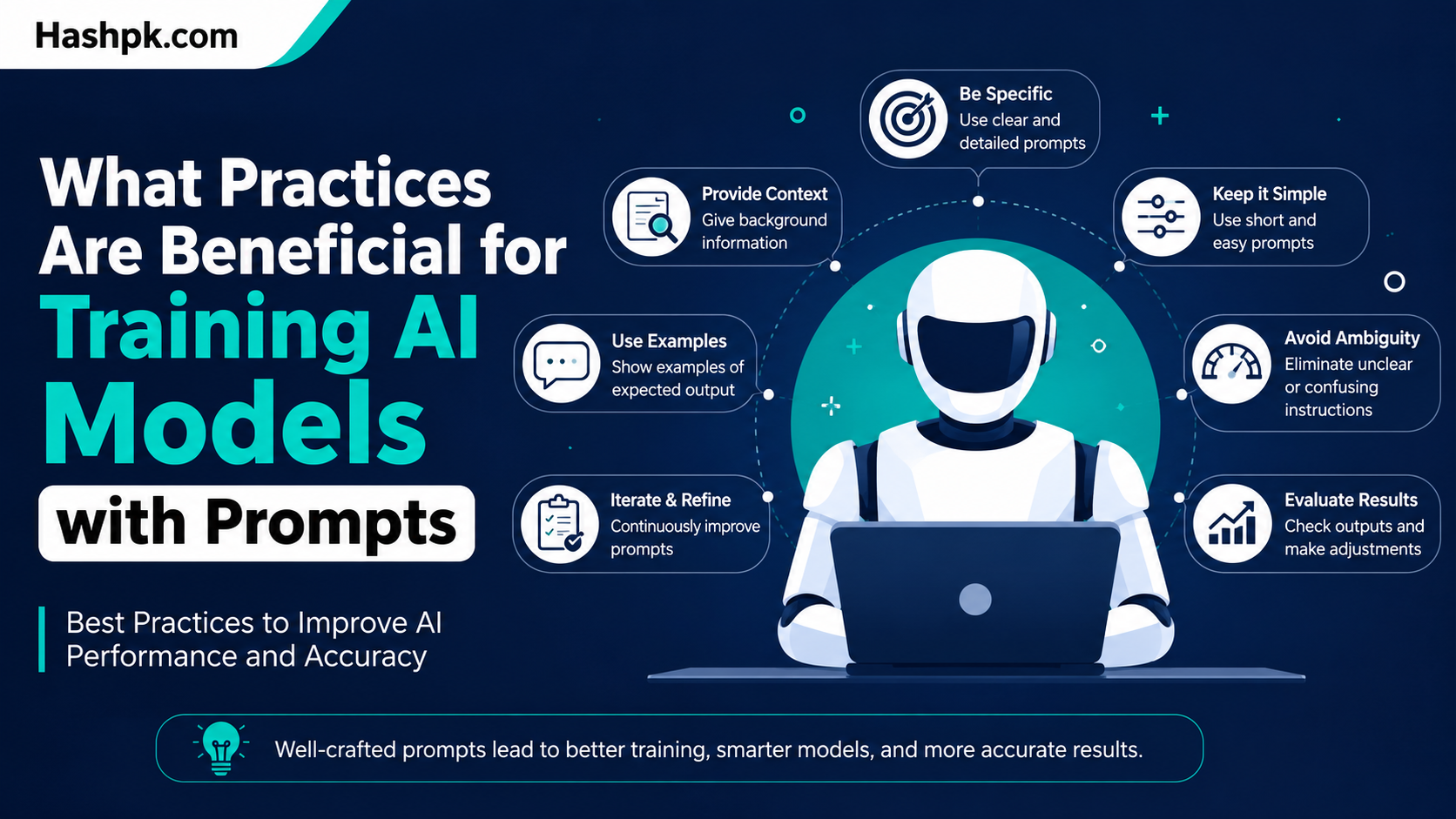
- Be explicit. State the task, format, and audience — don’t make the model guess.
- Use few-shot examples. One or two solid examples usually beat a paragraph of description.
- Define the output format. Bullet points, JSON, a table — say it upfront.
- Give permission to express uncertainty. This alone cuts down on confidently wrong answers.
- Frame instructions positively. “Only use verified data” works better than “don’t use fake data.”
- Test prompts like code. Track versions, run regression checks, don’t just eyeball one output and call it done.
Why This Matters More in 2026 Than It Did in 2023
Back when ChatGPT first took off, a clever prompt was basically a party trick. You’d get a funny poem or a decent essay, and that was the whole use case.
That’s not the world anymore. Models now trigger actions — they file tickets, flag transactions, draft emails that actually get sent, update records nobody double-checks. When a vague prompt produces a vague output in that context, it’s not a minor inconvenience. It’s an expensive mistake.
There’s also been a real shift in who’s doing this work. Reports through 2025 and into 2026 pointed out that “prompt engineer” as a standalone job title has mostly disappeared, folded into everyone’s day-to-day responsibilities instead. The skill didn’t get less valuable. It just stopped being someone else’s job.
Market numbers back this up too. Even with the title fading, spending on prompt-driven tooling and workflows has kept climbing sharply year over year, which tells you the underlying skill is still very much in demand — it just doesn’t come with a dedicated business card anymore.
One researcher put it well earlier this year, describing a language model as a CPU and the context window as RAM. Your job, in that framing, is closer to being the operating system: loading the right information into working memory at the right moment. That mental model is a decent shortcut for thinking about what practices are beneficial for training AI models with prompts, because it reframes the whole exercise as memory management, not wordplay.
The Split Between Casual and Production Prompting
There’s a real difference between typing a question into a chat window and writing a prompt that will execute the same way, correctly, ten thousand times in a row.
Casual prompting has gotten easier because models got better at reading intent. You can be a little sloppy and still get something useful.
Production prompting hasn’t gotten easier at all. If anything, it’s turned into a genuine engineering discipline — versioning, testing, rollback plans, the whole nine yards. Treating a production prompt the way you’d treat a one-off ChatGPT question is how silent failures sneak into real systems.
This is also where tooling has caught up. Open-source frameworks now bring CI/CD-style discipline to prompts, running automated tests and even basic red-teaming before a change ships. If your application code already goes through review and testing, there’s no good argument for letting the prompts driving that code skip the same process.
Practices That Actually Move the Needle
Here’s where the specifics live. These aren’t theoretical — they’re the practices that consistently separate a prompt that works from one that sort of works most of the time.
Be painfully specific about the task. Most bad prompts fail before the task even starts, because the model doesn’t know whether it’s supposed to summarize, critique, generate, or recommend. That’s not a lack of intelligence on the model’s end. It’s a lack of framing on yours.
Give the model a role. “You’re an editor checking this for clarity” produces more consistent judgment than a bare instruction with no framing at all.
Show, don’t just tell. Few-shot prompting — giving one or two examples of the input and the output you want — usually beats a long paragraph explaining the rules. Start with one example. Only add more if the output still misses the mark.
Say what to do, not just what to avoid. Negation tends to backfire. Telling a model “don’t use placeholder data” makes it process the concept of placeholder data first, before it can avoid it. “Only use verified data” skips that step entirely and just works better.
Let the model say “I don’t know.” Adding a line like “if the data is insufficient, say so rather than speculating” measurably reduces hallucinated answers. It’s a small addition that changes a lot.
Define the output shape. If a prompt feeds into another system, specify structure — JSON, a table, specific field names — instead of leaving it to prose that something downstream then has to parse by guesswork.
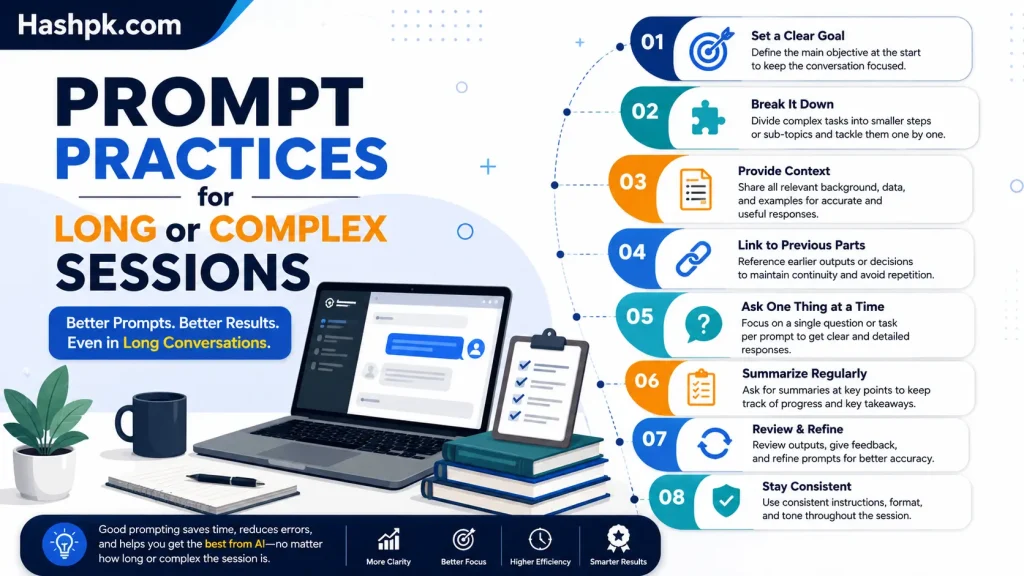
Break big tasks into steps. Asking for a full report in one shot invites errors. Asking for an outline first, then section by section, gives you checkpoints to correct course before a small mistake becomes a big one.
Keep a decision log for anything complex. When you’re comparing options through a model, write down why you picked one. Over time this builds your own judgment instead of just outsourcing every decision to the AI.
Match the temperature setting to the task. For factual or deterministic work, a lower temperature setting removes unnecessary randomness — you want the same input to produce roughly the same output every time, not a different answer on each run. Save the higher, more creative settings for brainstorming or writing tasks where variation is actually useful.
What Practices Are Beneficial for Training AI Models with Prompts vs. Actual Fine-Tuning
It’s worth separating two things people mix up constantly: prompting a model and training it.
Prompt engineering shapes behavior at the moment of use. Fine-tuning changes the model’s underlying weights. They’re not competing approaches ,the sharpest teams use prompting first to validate a task and surface edge cases, then move to fine-tuning only once that task is stable and repeatable enough to be worth the cost.
And even after fine-tuning, prompts don’t disappear. They stick around for orchestration, routing, and policy control. Skipping straight to fine-tuning without ever prompting your way through the problem first tends to waste a lot of training data on a task nobody’s actually validated yet.
Prompt Practices for Long or Complex Sessions
| Practice | What It Solves | Why It Works |
| Decision logs | Drifting reasoning over long sessions | Keeps prior choices explicit instead of re-litigated |
| Prompt caching | High cost/latency on repeated calls | Cuts costs up to 90% and latency up to 85% on reused context |
| Temperature 0 for factual tasks | Inconsistent answers to the same question | Removes unnecessary randomness from deterministic tasks |
| Regression testing prompts | Silent breakage after a small edit | Confirms nothing quietly stopped working |
| Explicit output schemas | Downstream parsing errors | Removes guesswork for whatever consumes the output next |
| Role-based framing | Vague or inconsistent tone/judgment | Anchors the model’s perspective before the task starts |
Long AI sessions feel productive right up until the model forgets what was already decided three exchanges ago. Then you get contradictions, or the same debate happening twice. A short decision log heads that off before it turns into wasted back-and-forth.
Mistakes That Undo Otherwise Good Prompts
A technically well-written prompt can still fail in practice, usually for one of these reasons:
- Assuming the model remembers context from a much earlier, unrelated conversation
- Piling on five instructions at once instead of testing them separately
- Mixing instructions and data with no clear separation between the two
- Giving contradictory asks, like “be concise but cover everything in depth”
- Never re-testing a prompt after the underlying model gets updated
That last one catches more teams than it should. A prompt tuned for one model version can behave differently after an update, and nobody notices until something downstream breaks.
Final Thoughts
At the end of the day, what practices are beneficial for training AI models with prompts comes down to treating prompts like something you actually design, rather than something you improvise in the moment and hope works. Specific instructions, real examples, defined formats, and room for the model to admit uncertainty — none of that is complicated, but almost nobody does all of it consistently.
The teams getting real value out of AI in 2026 aren’t the ones with access to a smarter model than everyone else. They’re the ones treating their prompts with the same discipline they’d apply to any other piece of production code — versioned, tested, and revisited when something changes. That habit, more than any clever wording trick, is what actually separates AI systems that work from ones that just look like they do.
FAQs
What practices are beneficial for training AI models with prompts?
Clear task framing, few-shot examples, defined output formats, and grounding answers in trusted sources cut down on vague or hallucinated responses. Pair that with permission to say “I don’t know” and regular testing against a fixed set of hard cases, and results stay consistent even as the model or task changes.
What are best practices for effective AI prompting?
Be explicit about the goal, audience, and format instead of leaving anything to guesswork. State instructions positively (“only use verified data”) rather than as negations, and break complex asks into smaller steps — plan, draft, verify — rather than one giant request.
What are the advantages of using prompts in AI model development?
Prompts let teams shape and test model behavior instantly, without touching the model’s underlying weights or waiting on a costly retraining cycle. They’re fast to iterate on, cheap to fix when something breaks, and double as a way to validate a task before deciding if fine-tuning is even worth doing.
What is prompt engineering, in plain terms?
It’s the practice of structuring instructions so an AI model produces the output you actually need, rather than something generic or only loosely related to what you asked for.
Is prompt engineering still a real job in 2026?
Not as a standalone title in most companies anymore. The skill got absorbed into everyone’s role instead of staying siloed in one position, which arguably makes it more useful, not less.
What’s the difference between prompting and fine-tuning?
Prompting shapes a model’s behavior at the moment you use it. Fine-tuning actually changes the model’s internal weights through additional training. Most teams use prompting first and fine-tune only once a task is proven stable.