
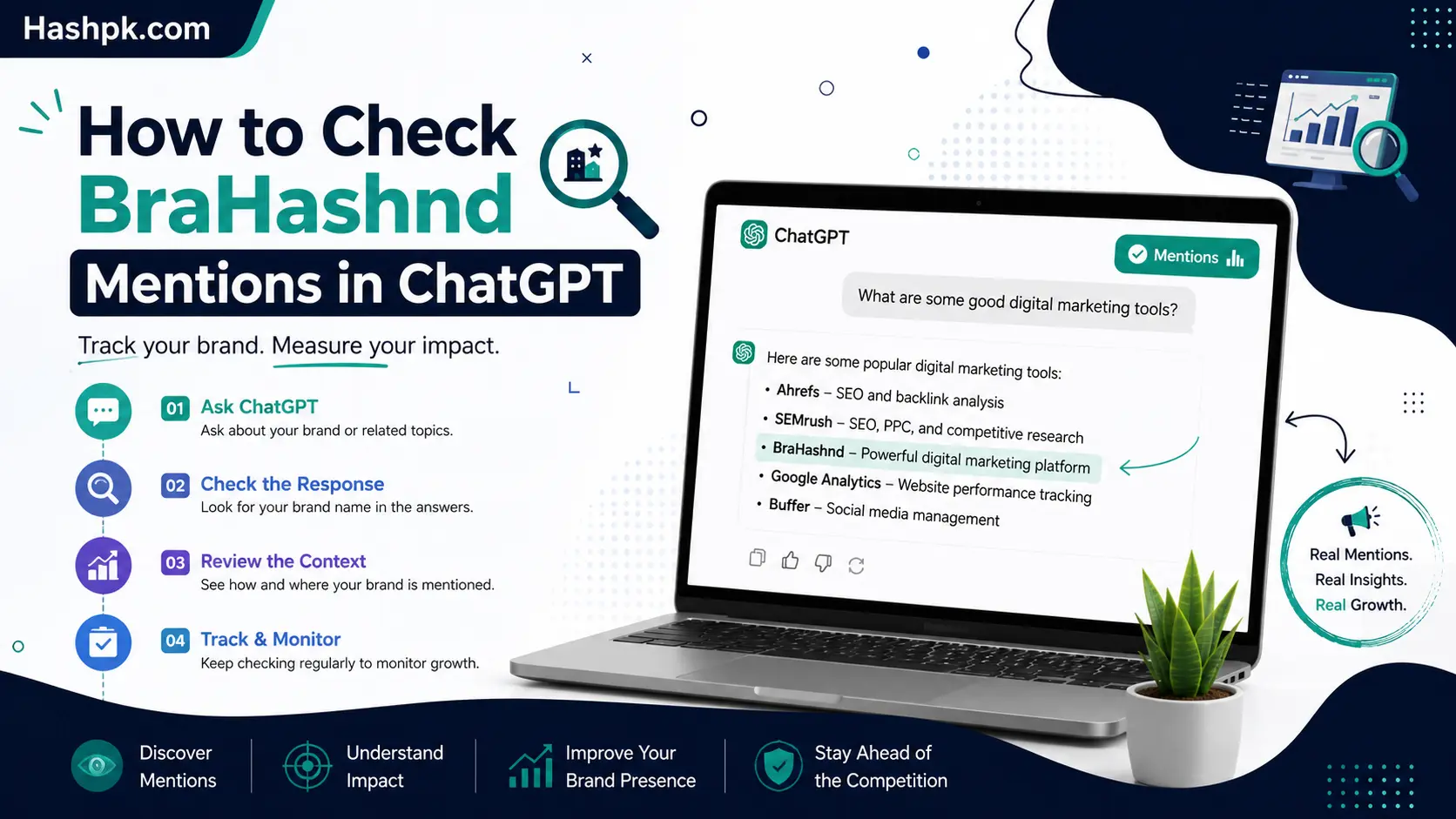
The short version of how to check brand mentions in ChatGPT is this: type the questions a real customer would ask, read the full answer, and watch for three things: does your brand come up, what’s the tone, and does ChatGPT point to a source for whatever it just said. That covers a first look fine on its own. Anything ongoing needs something that reruns those same prompts on a schedule and keeps a log, since ChatGPT can hand back a different answer to the exact same question depending on when it’s asked.
Nothing inside ChatGPT itself tracks this for you. There’s no dashboard like Search Console showing how often a brand comes up or which rival keeps beating it to the punch. That’s basically the whole reason so many people end up typing questions in by hand and hoping they remember to repeat it in a month.
Below is a full walkthrough: how to check brand mentions in ChatGPT step by step, what separates a mention from a citation, and roughly the point where manual checking stops being enough.
What Actually Counts as a Brand Mention
A mention sits at the loosest end of the scale: ChatGPT just says the company or product name somewhere in its answer. A citation is a step up from that, since it means ChatGPT is actually linking to or referencing a page as the source behind whatever claim it just made. A recommendation goes further still, with ChatGPT actively putting the product forward as the answer to someone’s problem.
These three don’t necessarily travel together. A brand can get mentioned with no citation attached at all, which usually just means ChatGPT already has the name baked into its training data rather than pulling from the live web. A brand can also end up cited from a page it has zero control over, often a review site or a comparison post written by someone entirely unaffiliated with the company.
The distinction matters because each one needs a different fix. A missing mention tends to point at a content gap. A missing citation tends to point at a page that exists but isn’t built in a way ChatGPT is willing to treat as a reliable source. That’s really the whole reason this kind of check beats just skimming one answer and calling it done.
Why This Wasn’t Anyone’s Problem Two Years Back
Almost nobody was tracking this in 2023 or 2024. ChatGPT mostly ran off whatever it had absorbed during training, updates came slowly, and most brands assumed it worked something like a reference book that would eventually get updated on its own schedule.
That stopped holding once ChatGPT started browsing the live web on a regular basis. Once real-time citations came into the picture, the same exact prompt could return a noticeably different answer a week later depending on whatever got published or picked up somewhere in the meantime.
At roughly the same time, ChatGPT’s audience kept climbing into the hundreds of millions, and a real slice of that traffic started going straight to it for recommendations instead of running a search first. More live browsing plus more people asking buying questions is what pushed this from a curiosity into something marketing teams now actually plan around.
Building a Prompt List That’s Actually Worth Running
Not every prompt pulls the same weight. A thin prompt list gives a thin read on where a brand stands, no matter how perfectly you stick to the schedule.
| Prompt Type | Example | What It Actually Reveals |
| Category discovery | “Best tools for [category]” | Whether ChatGPT links the brand to the wider category at all |
| Use case specific | “Best [category] tool for a small agency” | Whether ChatGPT has a sense of the ideal customer |
| Alternative search | “Alternatives to [competitor]” | Whether the brand appears when someone’s actively weighing options |
| Direct comparison | “[Brand] vs [competitor]” | How ChatGPT frames strengths and weaknesses next to each other |
| Trust and reliability | “Is [brand] worth using?” | Whether ChatGPT sounds confident or hesitant |
| Support and service | “Does [brand] have good support?” | Whether recurring support sentiment shows up on its own |
A list made up only of the first row rarely says much. Comparison and trust prompts are usually what surface the gaps actually worth doing something about.
Checking Brand Mentions in ChatGPT Manually

No tool is required to get a first honest read here. A free ChatGPT account and roughly twenty minutes is genuinely enough.
Write out 10 to 15 prompts a real customer might actually type, not the brand name sitting there by itself. Something closer to “best project management tool for a small agency” tells you far more than “what is [company name]” ever could.
Run each one and read the full response, not just the opening sentence. Note three things each time: whether the brand shows up, whether a competitor shows up in its place, and whether ChatGPT names a source for anything it just claimed.
Then rerun those exact same prompts about a week later. Since answers move around over time, one pass alone doesn’t tell you much. Two or three passes tell you considerably more.
Free and Low-Cost Ways to Get a First Read
A handful of tools now handle a version of this without asking for a subscription upfront.
- Instant visibility checkers. Tools such as the Semrush AI Visibility Checker let you punch in a domain and get an immediate read on current AI mentions, no account required.
- Free audits tucked into paid platforms. Some GEO tools give away a baseline report covering a capped number of prompts before ever asking for payment.
- A plain spreadsheet. Free in every sense, just slower, and entirely dependent on someone actually remembering to rerun it.
- Browser extensions. A few newer tools let you flag and save ChatGPT responses as you go, building a rough personal archive without touching a full platform..
Manual Checking vs Automated Monitoring
| Factor | Manual Checking | Automated Monitoring |
| Cost | Free | Usually a monthly fee |
| Time required | 20+ minutes per round | Minutes to configure, then hands-off |
| Consistency | Relies on someone remembering | Runs on a fixed schedule regardless |
| Realistic prompt volume | Roughly 20 at most | Scales into the hundreds |
| Historical trend data | Not really | Built in by default |
| Competitor comparison | Manual note-taking | Usually automated |
| Source detail | Visible right in the raw text | Extracted and organized automatically |
Manual checking is a fine fit for a solo marketer running an occasional gut check. Still, figuring out how to check brand mentions in ChatGPT by hand only gets you to step one. It stops being practical once more than a single person needs the results, or the prompt list grows past what one person can reasonably rerun every week.
Moving Toward Something More Permanent
Once a manual check turns up something worth watching, a competitor showing up repeatedly, say, or the brand going missing from a prompt that matters, it’s usually time to build out something sturdier.
A workable setup needs a handful of pieces. The prompt list should mix category, comparison, and alternative questions rather than the brand name on loop. The same prompts need a fixed cadence, weekly is common, since one check only ever describes a single moment. And whatever’s logging the results should capture the full answer text rather than a simple yes or no, so tone and sourcing patterns don’t disappear.
Monitoring ChatGPT brand mentions this way turns a one-off curiosity into something that can actually get reported month after month, rather than a screenshot someone glances at once and forgets about.
Doing Something Useful With the Results
Spotting a gap only matters if it leads somewhere afterward. A handful of patterns come up often enough to be worth flagging in advance.
If a brand shows up fine for branded prompts but vanishes the moment the question turns generic, that usually points to a positioning gap rather than a technical one. ChatGPT already knows the brand exists, it just hasn’t connected it to the broader category people are asking about.
If a competitor keeps getting cited instead, check exactly which page ChatGPT is drawing from. Often it’s a comparison piece sitting on some unrelated third-party site, not even the competitor’s own domain, which tells you where outreach effort should actually go rather than just editing your own site.
| Source Type | What to Look For | What to Do About It |
| Owned pages | Does the page answer the question directly? | Rewrite whatever section ChatGPT would need to pull an answer from |
| Comparison articles | A competitor’s own site, or an independent third party? | Publish an honest, evidence-backed comparison of your own |
| Review platforms | Current reviews, or ones that have gone stale? | Push for recent reviews and respond to genuine complaints |
| Documentation pages | Clear on integration or technical detail? | Add plain-language explanations alongside the technical parts |
| News or press coverage | Accurate, and reasonably recent? | Ask for corrections where needed, or pitch fresh coverage |
If ChatGPT keeps describing a brand with old information, a retired feature or an outdated price, that’s usually a sign an older page is still ranked highly enough among its sources to keep getting picked, even after the real page moved on.
Numbers Worth Watching Once Checking Turns Routine
A single check just shows where things stand right now. Watching a few numbers over time shows whether things are actually improving.
| Metric | What It Measures | Why It’s Worth Watching |
| Mention rate | How often the brand appears across the whole prompt set | A quick baseline read on general presence |
| Citation rate | How often ChatGPT attaches a source to the mention | Signals whether ChatGPT treats the brand’s content as trustworthy |
| Share of voice | Mention count set against competitors on the same prompts | Shows who’s genuinely winning the category |
| Sentiment split | Positive, neutral, or negative tone in the mentions | Flags reputation issues before they show up in a sales call |
| Source diversity | How many distinct domains get cited alongside the brand | Fewer sources means more exposure if one page ever changes |
None of these numbers mean much as a single data point. Tracked across a few months, they show whether whatever changed on the content side actually moved anything at all.
Habits That Quietly Sabotage This Whole Process
A handful of habits undercut the effort without anyone really noticing at first.
Testing only prompts that already contain the brand name is the biggest one. That mostly just confirms ChatGPT knows the brand exists, which was rarely in question anyway. The prompts worth testing are the ones a total stranger would type without knowing the brand at all.
Treating one check as some kind of permanent verdict is another common slip. ChatGPT’s answers shift over time, so a single snapshot only ever describes that one moment and nothing further.
Skipping competitor prompts entirely rounds out the list. If a rival keeps showing up where a brand doesn’t, it’s a lot better to catch that early than to hear about it secondhand from a customer months down the line.
Extending the Check to Other AI Platforms
ChatGPT gets most of the spotlight since it’s the biggest name out there, but Gemini, Claude, and Perplexity all field a real share of the same kinds of buying questions. A brand doing well inside ChatGPT can still be totally absent everywhere else.
Running the same prompt set through two or three engines instead of just one paints a much more honest picture of where a brand actually stands, rather than optimizing for one platform and assuming the others look identical.
A Quick Word on Privacy
Most tools built for this only need a brand name, a domain, and a prompt list, so they don’t require deep account access or API keys reaching into internal systems. That keeps the privacy footprint fairly light compared to a lot of other marketing software.
Even so, it’s worth glancing at what a vendor does with prompt history once it’s stored, especially if that list hints at an unreleased product name or an angle nobody’s announced publicly. Some platforms hold onto that history indefinitely to support trend reporting, which is genuinely useful but also worth knowing about ahead of time.
For most small businesses this barely registers as a concern, since the prompts in question are things any stranger could type into ChatGPT anyway. Agencies running this across several client accounts should just confirm the retention policy directly with the vendor before rolling anything out widely.
Why the Same Prompt Can Give Two People Different Answers
This part trips up a lot of people running their first check, and it’s rarely explained anywhere else. Two colleagues typing the exact same prompt into ChatGPT at the exact same time can genuinely get two different answers, and neither one is wrong.
Memory and custom instructions play a role here. If an account has remembered previous conversations about a specific industry, or has custom instructions saved, that context quietly shapes every new answer, including ones about brand recommendations. A logged-out or brand-new account strips that layer away entirely, which is actually closer to what a first-time customer would see.
Whether web browsing is switched on for that particular reply matters just as much. A response pulled straight from training data reads differently than one where ChatGPT actively searched the web moments before answering, and the second version is far more likely to carry a citation attached to it.
For a fair check, it helps to run prompts from a fresh account with no saved memory, and to note whether a given response appears to have browsed the web or answered straight from what it already knew. Mixing both kinds of answers into one dataset without labeling them makes the results a lot harder to trust later on.
A Quick Word on Terms of Service
Nobody really talks about this part, but it’s worth a mention before automating anything. Running a handful of prompts through the regular ChatGPT interface by hand is completely normal use and raises no issues at all. Building a script that hits ChatGPT hundreds of times a day without going through OpenAI’s official API, though, can bump into usage terms meant to prevent scraping outside approved channels.
Most legitimate monitoring tools sidestep this by using OpenAI’s API directly, which is built for exactly this kind of programmatic access and comes with far more permissive terms for the purpose. Anyone building a homegrown script instead of buying a tool should stick to the API rather than automating the consumer chat interface, both for reliability and to stay on the right side of the rules.
Turning This Into an Actual Habit
A short checklist keeps this from becoming a one-off exercise that gets forgotten right after the first attempt. This is honestly the last piece of how to check brand mentions in ChatGPT well: doing it once is easy, doing it consistently is what actually pays off.
Write down the brand name, product names, and any common misspellings worth tracking. Build a prompt list covering category, comparison, and alternative questions, not only branded ones. Pick a schedule, weekly suits most teams, and stick to it rather than checking only whenever someone remembers. Log the full answer text somewhere, not just a pass or fail, so patterns in tone and sourcing stay visible later on. And revisit the whole list every few months, since new competitors and new prompt phrasing show up faster than most people expect.
Quick Summary
Checking brand mentions in ChatGPT starts with writing real customer questions rather than just the brand name alone, then running them through ChatGPT by hand to see who gets named and cited. That’s the essence of how to check brand mentions in ChatGPT without spending anything at all. Free visibility checkers and one-off audits offer a quick second opinion beyond that. Anything recurring, weekly or monthly tracking across dozens of prompts and rival brands, calls for a dedicated setup rather than manual effort stretched too thin. Either way, the goal never changes: know whether a brand shows up when a total stranger asks ChatGPT for a recommendation.
Final Words
There’s no single correct way to check brand mentions in ChatGPT, just whichever approach matches how often the answer’s actually needed. A quick manual pass suits most small businesses checking in every so often. A team that needs to justify spend, track rivals weekly, and report on movement over time will outgrow manual checking fast and should plan for a real monitoring setup instead.
Either way, the sooner someone starts, the sooner they’ll know whether ChatGPT is quietly steering people toward a competitor instead. The manual method covered above is still the simplest way to check brand mentions in ChatGPT before spending anything further, and it doubles nicely as a way of monitoring ChatGPT brand mentions once a month without much effort at all.
FAQs
How can I check my brand’s visibility on ChatGPT?
Ask it the kind of questions a real customer would, not your brand name on its own, and watch three things: does your name come up, what tone does it come up in, and does ChatGPT point to a source. Do this weekly rather than once, since the answer to the same question can change over time.
How to track brand mentions?
Build a short list of real customer questions, run them on a fixed schedule, and note who gets named, who gets left out, and what tone the mentions carry. A spreadsheet handles the occasional check fine; a paid tool takes over once the list grows too large to run by hand every week.
How to track AI brand mentions?
It works the same way as checking ChatGPT alone, just spread across Gemini, Claude, and Perplexity too. Each one can answer an identical question differently, so leaning on just one engine gives a skewed read, and tracking two or three at once tends to matter more here than it ever did with plain search engines.


